
People
Client Calendar
Client profile → Calendar4 steps
Written by Fahid Safdar, Founder & Product, Rostery · Checked
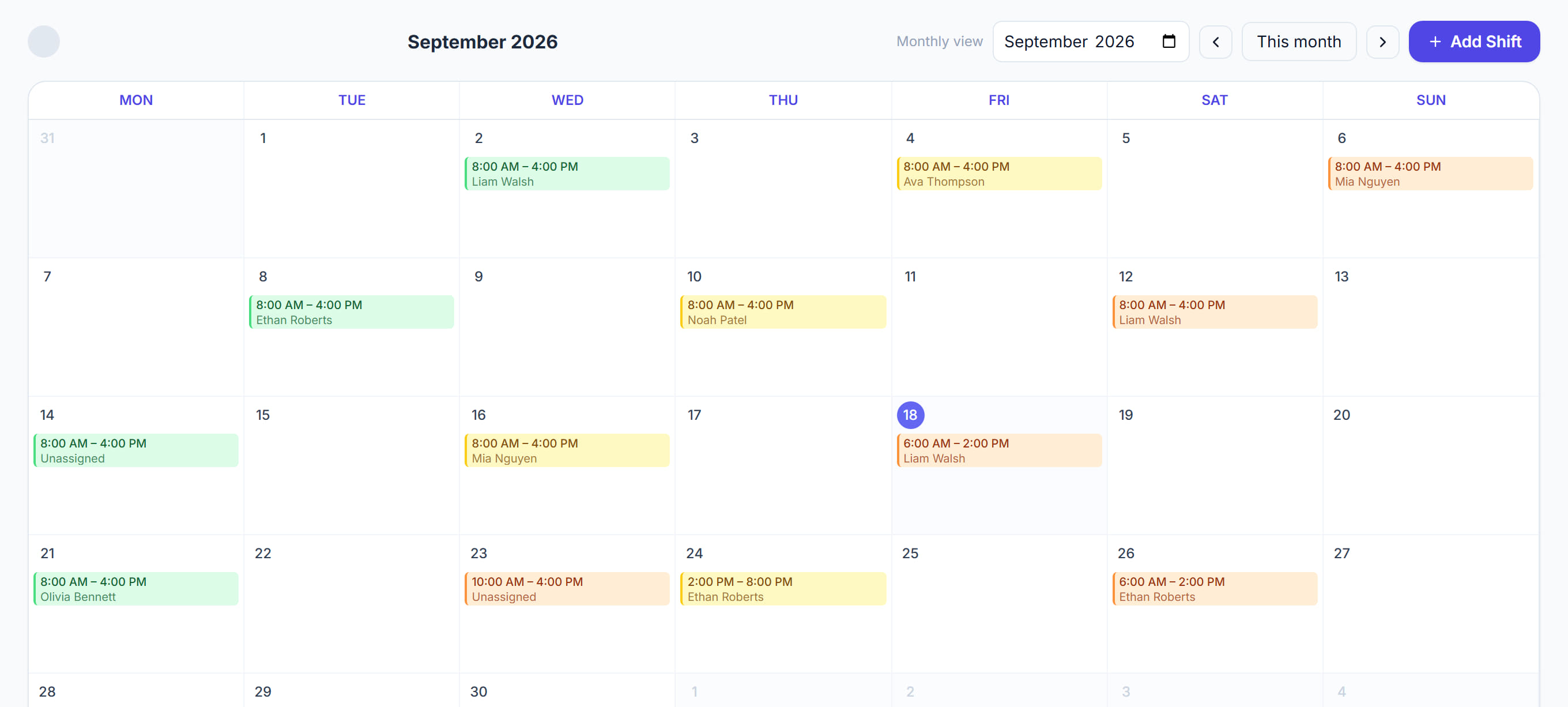
Every shift booked for this participant in a month view. The screen to open when somebody rings to ask what is on next week.
Step by step
- 1
Open the participant and click the Calendar tab.
- 2
Move between months with the arrows.
- 3
Click a shift to open it — you can change or cancel it here without going back to the scheduler.
- 4
Look for empty stretches: a participant with funding and no bookings is usually a gap somebody has missed.
The screen
Did this answer your question?
If not, talk to us — we answer from Australia, in business hours.