
How do I…?
Log an incident
Incidents → New Ticket11 steps
Written by Fahid Safdar, Founder & Product, Rostery · Checked
Recording something that went wrong.
Do this
- 1
Click Incidents in the left menu.

- 2
Click New Ticket.

- 3
Put in the Date and Time it happened.

- 4
Pick the Category and the Type.
- 5
Choose the Client and the Staff member involved.

- 6
Write what happened in the description. Plain facts, what you saw.
- 7
Write what was done about it straight away.
- 8
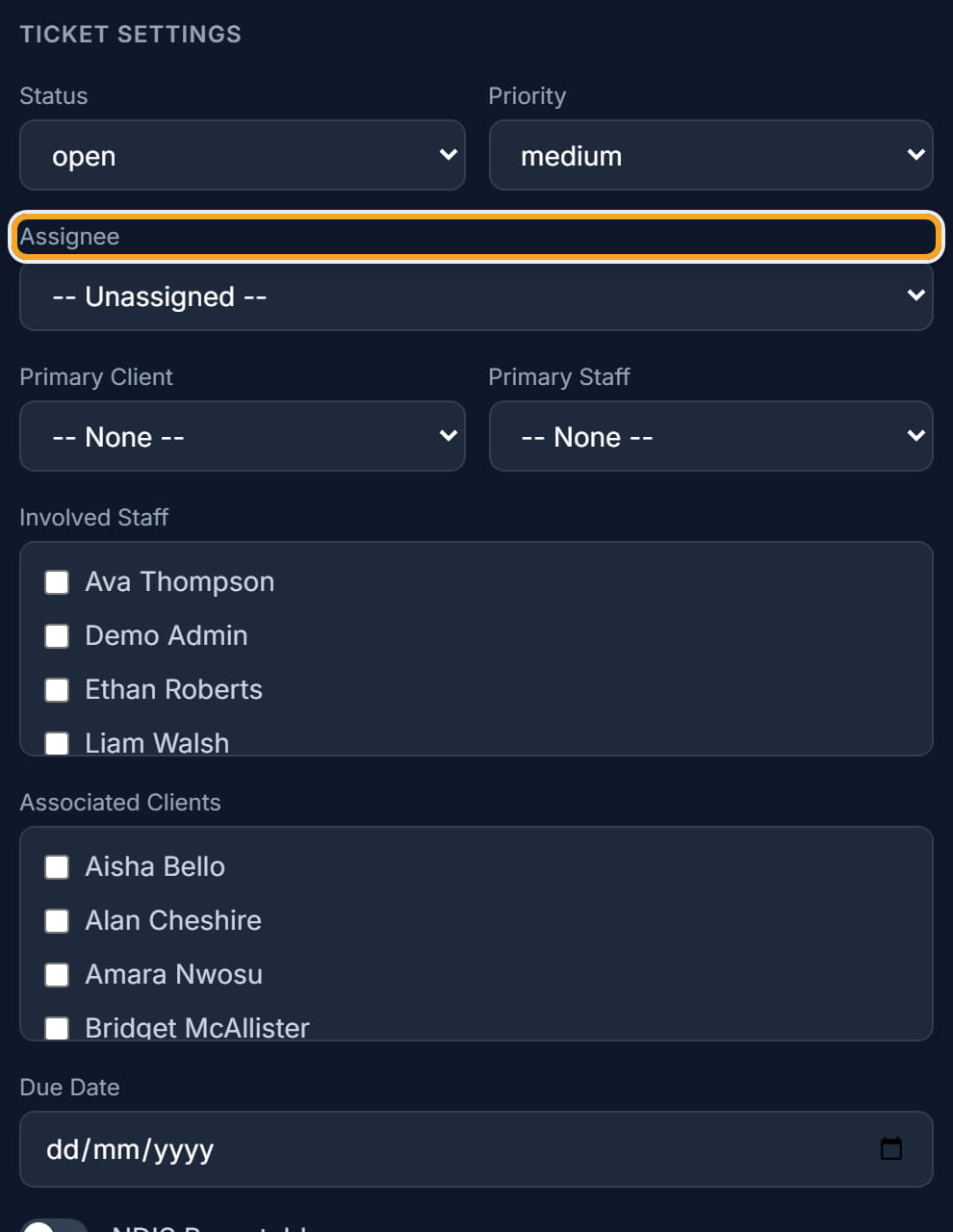
Set the Priority — Critical, High, Medium or Low.

- 9
Pick an Assignee, the person who will follow it up.
- 10
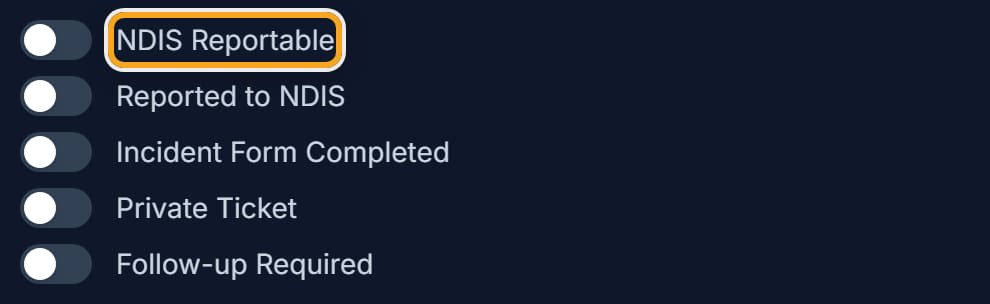
Check the NDIS Reportable box. Rostery looks at what you wrote and suggests an answer — read it, and change it if you disagree.
- 11
Click Save.
Did this answer your question?
If not, talk to us — we answer from Australia, in business hours.