

The best NDIS software for a small provider is the platform that pulls rostering, SCHADS award interpretation, progress notes and NDIS claiming into one system — without enterprise pricing or a six-month rollout. For a team running one or two SIL houses or a handful of community-access shifts, the right tool should pay for itself by preventing a single underpayment or rejected claim, not add another admin job to your week.
This guide is written for owner-operators and coordinators at small NDIS providers (roughly one to thirty support workers) choosing software in 2026. We cover what to prioritise, the must-have features, what it should cost, and a simple process for making the decision — plus the compliance changes this year that make the choice more urgent than it used to be.
What small NDIS providers actually need from software
Large providers buy software to coordinate dozens of coordinators across regions. Small providers buy software to stop running everything on spreadsheets, group chats and a shoebox of receipts. The needs are genuinely different, and choosing a heavyweight enterprise platform “to grow into” usually means paying for complexity you will never use while the basics stay clunky.
At small scale, three things matter more than anything else: getting pay right under the SCHADS Award, getting claims into the NDIS portal without rejections, and keeping the evidence auditors expect without hiring an admin team to maintain it. If a platform nails those three, it is doing its job. Everything else is a bonus.
- One system, not five. Rostering, timesheets, pay, notes and claiming should share the same data so a shift is only ever entered once.
- Fast setup. You should be live in days, not stuck in a quarter-long implementation project.
- Predictable, per-worker pricing. No enterprise minimums, and no lock-in you can’t grow out of.
- A real mobile app for support workers so clock-ins, progress notes and incident reports happen in the field, not back at the office.
The must-have feature checklist
Use this as a shortlist filter. Any platform you seriously consider in 2026 should tick every box below; treat missing items as red flags rather than something to “add later”.
- Automated SCHADS award interpretation — penalties, overtime, broken shifts, sleepovers and allowances calculated straight from the roster, not by hand.
- Integrated rostering with worker availability, qualifications and participant matching.
- NDIS price-guide-aware claiming that produces a valid bulk-payment upload file.
- Progress notes and case notes linked to shifts so your audit evidence builds itself.
- Electronic visit verification (EVV) with GPS clock-in and clock-out to prove service delivery.
- Incident and complaints logging aligned to NDIS reporting rules.
- Electronic medication charts (eMAR) if you deliver SIL or high-intensity supports.
- Worker screening and qualification expiry tracking so nothing lapses unnoticed.
For a broader, platform-by-platform comparison across the market, our guide to the best NDIS software in 2026 breaks down how the leading options stack up.
SCHADS and payroll: the biggest risk for small teams
Payroll is where small providers lose the most money and the most sleep. The Social, Community, Home Care and Disability Services Industry Award (SCHADS, MA000100) is one of the most complex modern awards in Australia, and 2026 brought two changes that make manual interpretation even riskier.
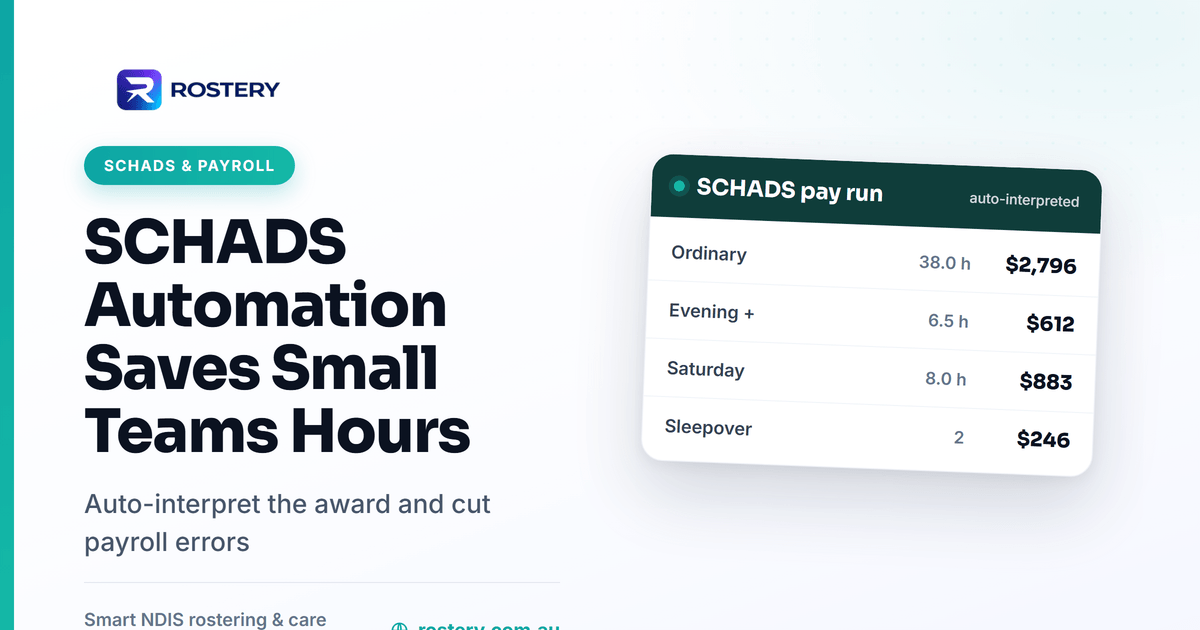
First, the Fair Work Commission’s 2026 Annual Wage Review lifted all award minimum rates by 4.75%, effective from the first full pay period on or after 1 July 2026. Second, a separate gender-undervaluation decision means further interim increases flow to some home-care classifications from October 2026. If your pay rates live in a spreadsheet, every one of those changes is a manual update — and a missed update is an underpayment you are liable for.
This is exactly where automation earns its keep at small scale. Software that interprets the award from the roster applies the correct base rate, penalty, overtime and allowance automatically, so a public-holiday sleepover is costed properly without anyone memorising the clauses. You can sanity-check any scenario with a free SCHADS pay calculator, but for weekly pay runs, automated award interpretation removes the guesswork entirely.
NDIS claiming and cash flow
For a small provider, cash flow is survival. Every rejected claim is a delay you feel immediately, and chasing a payment error can cost hours you don’t have. Good software reduces rejections by validating claims against current NDIS price-guide items before you upload, matching each claim to a delivered and verified shift, and flagging mismatches — wrong item number, overlapping times, over-budget line items — before they reach the agency.
- Claims generated straight from completed shifts, so billed hours always match delivered hours.
- Bulk-payment files formatted correctly for the myplace provider portal.
- Budget tracking per participant so you never over-deliver against a plan.
Compliance and registration readiness
2026 is a big compliance year, and it lands hardest on smaller providers who don’t have a dedicated quality team. From 1 July 2026, supported independent living became a registered support under the new registration group 0138 – Assistance with supported independent living, backed by a new SIL module of the NDIS Practice Standards. Providers already delivering SIL before that date must lodge a registration application by 1 October 2026 to keep operating during assessment; those who don’t apply must stop delivering SIL. (See the official NDIS Commission update for the detail.)
Whether you are preparing for a verification audit or a full certification audit against the Practice Standards, the evidence auditors ask for — rosters, progress notes, incident records, medication charts, screening records — is exactly what your day-to-day software should be generating as a by-product of normal operations. If you have to assemble it by hand before an audit, that is a sign the tooling is working against you. Our NDIS software pricing guide covers how these compliance features factor into total cost.
What NDIS software should cost a small provider
Pricing models vary widely, but small providers should look for transparent per-worker pricing with no large minimum commitment. Watch for these signals of a small-provider-friendly deal:
- Per-active-worker pricing that scales down when your roster is quiet.
- No separate implementation fee running into the thousands for a small setup.
- Payroll and claiming included in the plan, not bolted on as paid add-ons.
Compare total cost of ownership, not the headline price. A cheaper tool that still needs a bookkeeper to interpret SCHADS every week is not actually cheaper. You can see transparent, per-worker plans on the Rostery pricing page.
How to choose: a six-step process
- List your non-negotiables. SCHADS automation, NDIS claiming and mobile progress notes are the floor; add eMAR if you deliver SIL.
- Shortlist three platforms that tick every item on the checklist above.
- Run a real pay week through a trial — a genuine roster with penalties and a sleepover, not a tidy sales demo.
- Test a claim file end to end against a current participant plan.
- Check the exit. Can you export your data if you leave? Avoid any platform that locks it away.
- Confirm the support is Australian-based and understands the NDIS, not a generic overseas ticket queue.
Work through those six steps and the shortlist usually narrows to one. Explore how Rostery covers the full checklist on the features overview.
Frequently Asked Questions
What is the best NDIS software for a small provider in 2026?
The best fit is an all-in-one platform that automates SCHADS interpretation, rostering, progress notes and NDIS claiming, with transparent per-worker pricing and a fast setup. For very small teams, avoid enterprise suites built for multi-region providers — you will pay for complexity you don’t use.
Do small NDIS providers need registration to use SIL software?
Software itself does not require registration, but delivering SIL does. From 1 July 2026, SIL is a registered support under group 0138, and existing unregistered providers must apply to register by 1 October 2026 to keep delivering. Choose software that produces the audit evidence the SIL Practice Standards require.
How much should NDIS software cost a small provider?
Look for transparent per-worker pricing with payroll and claiming included and no large implementation fee. Judge value on total cost of ownership — automation that prevents even one SCHADS underpayment or rejected claim often covers the subscription for the month.
Can software really interpret the SCHADS Award correctly?
Yes. Award-interpretation engines apply base rates, penalties, overtime, broken-shift and sleepover rules from the roster automatically, and are updated when rates change — such as the 4.75% increase from 1 July 2026. You should still spot-check with a calculator, but it removes the manual, clause-by-clause pay maths.
Is all-in-one or best-of-breed better for small providers?
For small teams, all-in-one usually wins: one system means a shift is entered once and flows through to pay, notes and claiming, which cuts double entry and reconciliation errors. Best-of-breed stacks suit larger providers with the admin capacity to integrate and maintain several separate tools.
Related reading
Sources
The rules described above come from the following, which are the authority on each and are updated more often than any article:


